
| Vulnerabilities | |||||
|---|---|---|---|---|---|
| Version | Suggest | Low | Medium | High | Critical |
| 0.1.42 | 0 | 0 | 0 | 0 | 0 |
| 0.1.41 | 0 | 0 | 0 | 0 | 0 |
| 0.1.40 | 0 | 0 | 0 | 0 | 0 |
| 0.1.39 | 0 | 0 | 0 | 0 | 0 |
| 0.1.38 | 0 | 0 | 0 | 0 | 0 |
| 0.1.37 | 0 | 0 | 0 | 0 | 0 |
| 0.1.36 | 0 | 0 | 0 | 0 | 0 |
| 0.1.35 | 0 | 0 | 0 | 0 | 0 |
| 0.1.34 | 0 | 0 | 0 | 0 | 0 |
| 0.1.33 | 0 | 0 | 0 | 0 | 0 |
| 0.1.31 | 0 | 0 | 0 | 0 | 0 |
| 0.1.30 | 0 | 0 | 0 | 0 | 0 |
| 0.1.29 | 0 | 0 | 0 | 0 | 0 |
| 0.1.28 | 0 | 0 | 0 | 0 | 0 |
| 0.1.27 | 0 | 0 | 0 | 0 | 0 |
| 0.1.26 | 0 | 0 | 0 | 0 | 0 |
| 0.1.25 | 0 | 0 | 0 | 0 | 0 |
| 0.1.24 | 0 | 0 | 0 | 0 | 0 |
| 0.1.23 | 0 | 0 | 0 | 0 | 0 |
| 0.1.22 | 0 | 0 | 0 | 0 | 0 |
| 0.1.21 | 0 | 0 | 0 | 0 | 0 |
| 0.1.19 | 0 | 0 | 0 | 0 | 0 |
| 0.1.18 | 0 | 0 | 0 | 0 | 0 |
| 0.1.16 | 0 | 0 | 0 | 0 | 0 |
| 0.1.15 | 0 | 0 | 0 | 0 | 0 |
| 0.1.14 | 0 | 0 | 0 | 0 | 0 |
| 0.1.13 | 0 | 0 | 0 | 0 | 0 |
| 0.1.12 | 0 | 0 | 0 | 0 | 0 |
| 0.1.11 | 0 | 0 | 0 | 0 | 0 |
| 0.1.10 | 0 | 0 | 0 | 0 | 0 |
| 0.1.9 | 0 | 0 | 0 | 0 | 0 |
| 0.1.8 | 0 | 0 | 0 | 0 | 0 |
| 0.1.7 | 0 | 0 | 0 | 0 | 0 |
| 0.1.6 | 0 | 0 | 0 | 0 | 0 |
| 0.1.5 | 0 | 0 | 0 | 0 | 0 |
| 0.1.4 | 0 | 0 | 0 | 0 | 0 |
| 0.1.3 | 0 | 0 | 0 | 0 | 0 |
| 0.1.2 | 0 | 0 | 0 | 0 | 0 |
0.1.42 - This version may not be safe as it has not been updated for a long time. Find out if your coding project uses this component and get notified of any reported security vulnerabilities with Meterian-X Open Source Security Platform
Maintain your licence declarations and avoid unwanted licences to protect your IP the way you intended.
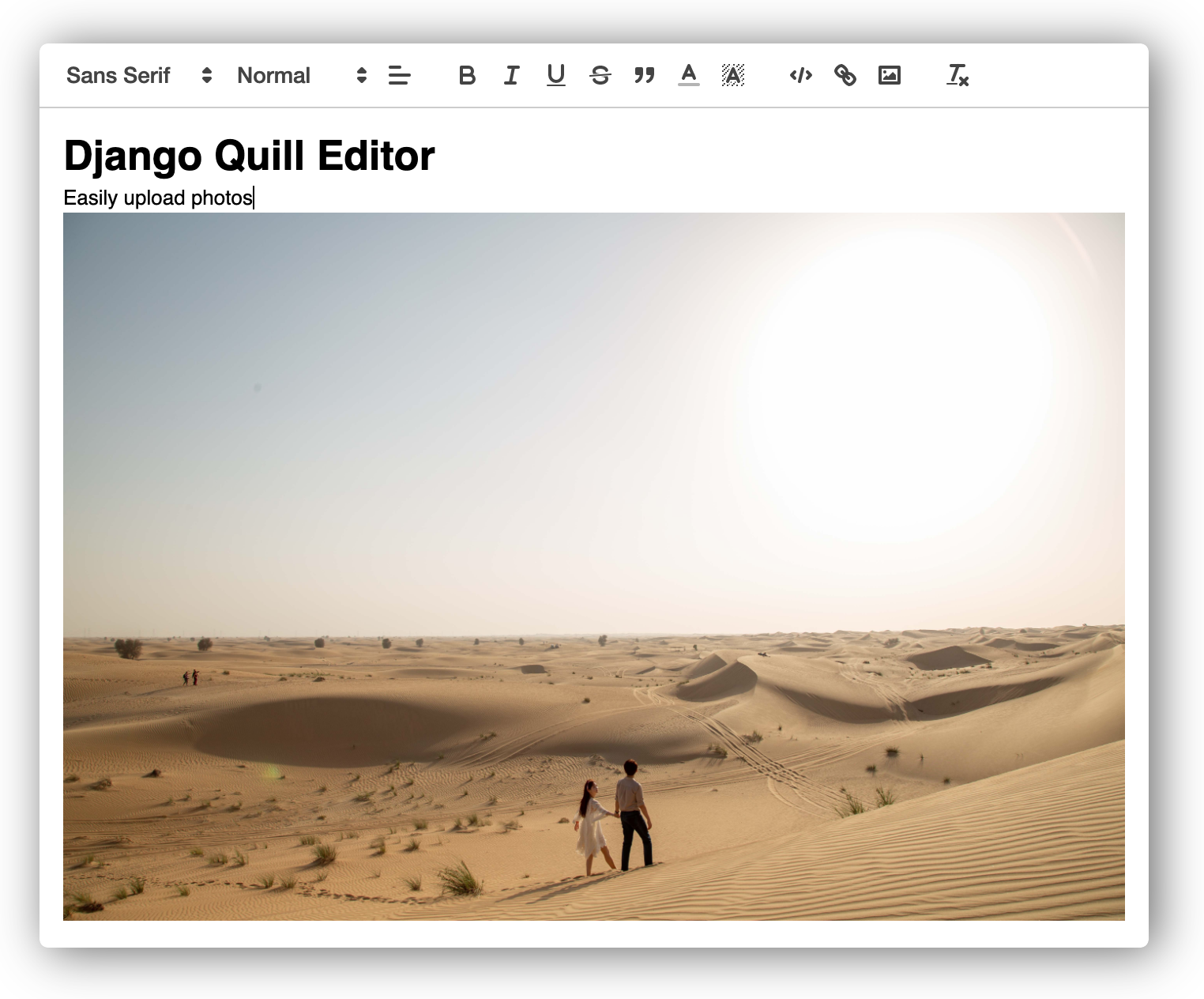
MIT - MIT Licensedjango-quill-editor makes Quill.js easy to use on Django Forms and admin sites
Warning
The content entered in django-quill-editor can be used for XSS attacks because it is marked_safe by Django.
Only authorized administrators should use it in important projects.
The full document is in https://django-quill-editor.readthedocs.io/, including everything about how to use the Form or ModelForm, and where you can add custom settings.
Please refer to the QuickStart section below for simple usage.
Install django-quill-editor to your Python environment
Requires Python 3.7 or higher and Django 3.1 or higher.
pip install django-quill-editorAdd django_quill to INSTALLED_APPS in settings.py
# settings.py
INSTALLED_APPS = [
    'django.contrib.admin',
    ...
    'django_quill',
]Add QuillField to the Model class you want to use.
- App containing models.py must be added to INSTALLED_APPS
- After adding the app, you need to run makemigrations and migrate to create the DB table.
# models.py
from django.db import models
from django_quill.fields import QuillField

class QuillPost(models.Model):
content = QuillField()Just register the Model in admin.py of the app.
from django.contrib import admin
from .models import QuillPost

@admin.register(QuillPost)
class QuillPostAdmin(admin.ModelAdmin):
    pass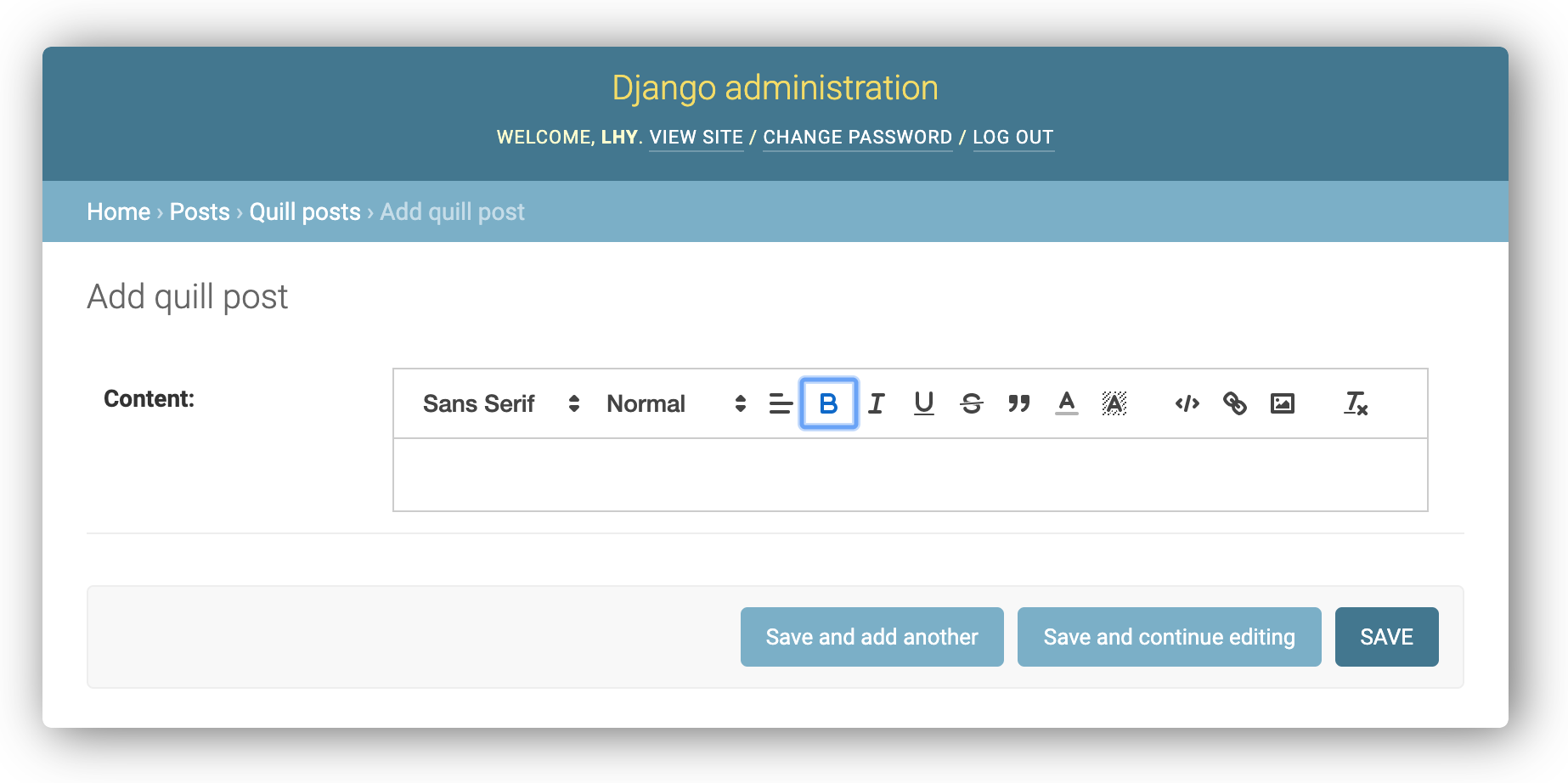
The live demo is a deployment of the "playground" package, which is a django application within this library.
After cloning or downloading the repository, you can try running the live demo locally.
A Python virtual environment is required to run the project.
# [Optional] We recommend that you start after creating a folder for your project.
mkdir ~/projects
cd projects

# Clone repository
git clone git@github.com:LeeHanYeong/django-quill-editor.git

# Go to the project directory and apply the virtual environment
cd django-quill-editor
# [apply venv]

# Go to the playground package
cd playground

# Install requirements
pip install -r requirements.txt

# Run migrate and runserver
python manage.py migrate
python manage.py runserver
After the above operation, the live demo site works at localhost:8000.
As an open source project, we welcome contributions. The code lives on GitHub
# black
brew install black

# pre-commit
brew install pre-commit
pre-commit installpoetry install # Install PyPI distribution packages
python deploy.pybrew install sphinx-doc # macOScd docs
make html
# ...
# The HTML pages are in _build/html.
cd _build/html
python -m http.server 3001
# local
docker-compose --env-file .deploy/.env.local up --build --force-recreate --remove-orphans
# production
docker-compose --env-file .deploy/.env.production up --build --force-recreate --remove-orphans

